
UniPlasty Pre-Operative Planning & Templating – with Smart Fixator® Software
2:28 · screen recording, no narration
Plan the correction on the X-ray, before you operate.
Web-based software for orthopaedic surgeons: calibrate the radiograph, measure the deformity, simulate the osteotomy or fracture reduction, and template the implant on the patient’s own X-ray.
Smart Fixator® is web-based software that helps orthopaedic surgeons foresee the result of surgery before the operation.
Its planning screen holds the X-ray and every planning tool. Calibrate the image, take basic and complex measurements, simulate an osteotomy or a fracture reduction by cutting the image and moving the bone segments, and template the implant at the scale of the calibration.
Fields of use: trauma, deformity, foot and ankle, and paediatrics.
The planning software grew out of the software written for the Smart Fixator® hexapod.
Smart Fixator® is developed, named Smart Correction until 2023, together with software for entering the parameters of the hexapod frame and calculating the prescription.
The software moves onto the radiograph: planning is carried out digitally, directly on the X-ray images.
Preoperative planning and templating features are added, and the software is used as Click2Correct.
With its scope and technology extended, the software serves under its new name, Smart Fixator®, at www.SmartFixator.com. Preoperative planning and the hexapod prescription share one web platform and one login, and AI supports the planning, for example with automatic Orthoroentgenography measurements and bone segmentation.
Calibrate each X-ray on an object of known size, such as two marks of a ruler or a calibration ball. Lengths are then shown in millimetres.
Lines, circles and angles placed point by point on the landmarks. Every value sits next to what it measures and follows its points when you drag them.
Templates guide you point by point: long-leg alignment (Orthoroentgenography, HTO, Mechanical Axis Deviation), spine, paediatric, foot and wrist. The long-leg template lists Mech. Axis, mMPFA, mLDFA, HKA, mMPTA, JLCA and mLDTA for each leg.
Orthoroentgenography AI places the points of the long-leg template on each leg it finds. The points are a suggestion: check each one before you use any value.
Cut the image around the part you plan to correct, then move and turn the bone segment around its centre of rotation. Measurements inside the cut move with it and show the result.
Product templates draw the implant on the X-ray at the scale of the calibration. The UniPlasty® - HTO template draws the UniX® Metaphyseal Hinge Fixator in sizes S, M and L.
Every X-ray belongs to a case and every case to a patient. The plan is stored with its X-ray and opens with it wherever you sign in. Patient records and X-rays can be shared with colleagues.
Runs in an HTML5 web browser. Upload JPG or PNG images up to 10 MB, or DICOM files up to 50 MB.
With the UniPlasty® - HTO product template the whole plan fits on one long-leg X-ray, from the mechanical axis to the angulated tibia. Select a picture to see the full screen.
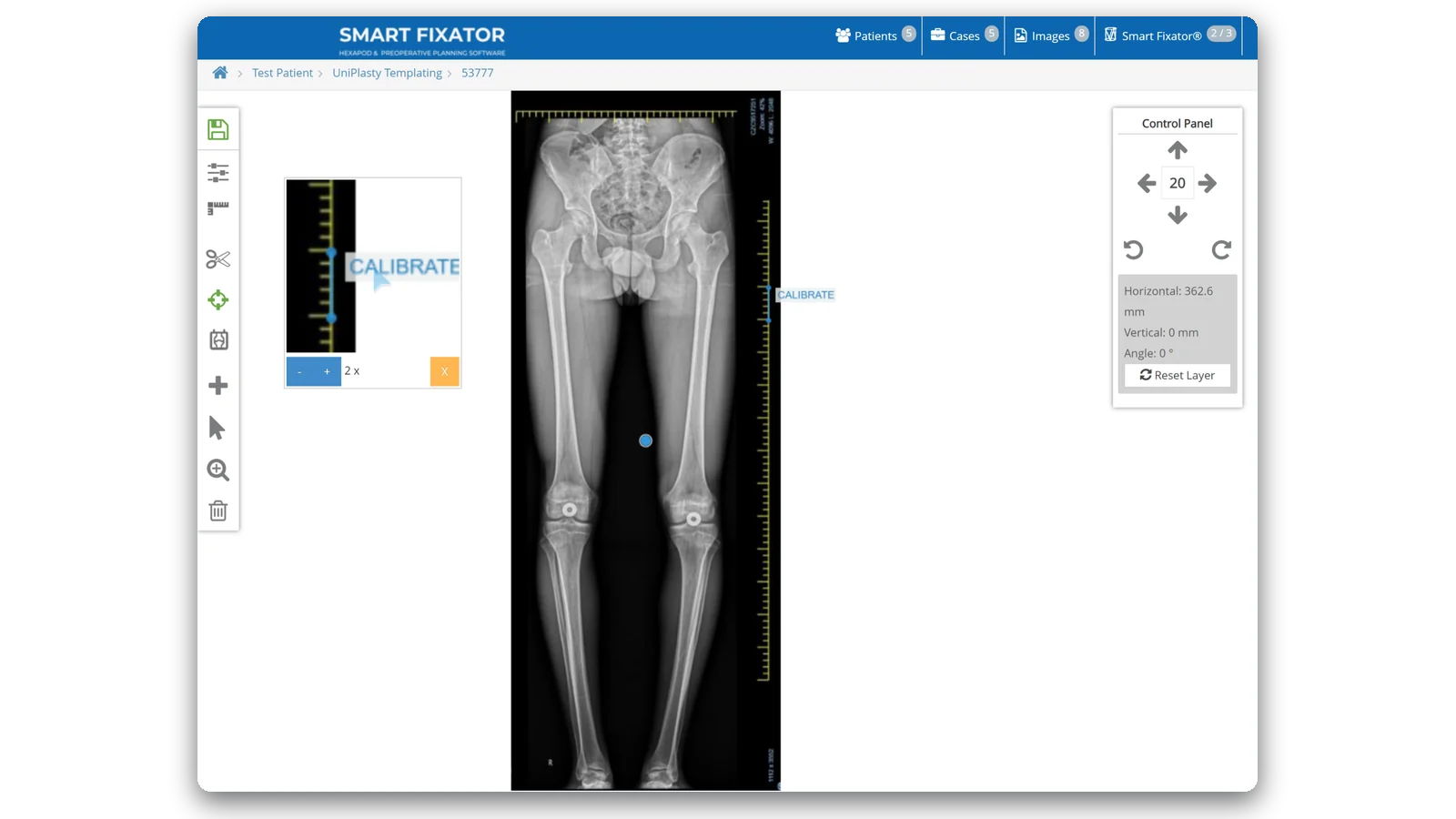
Calibrate the X-ray on the ruler. The product template is drawn at the scale of the calibration.
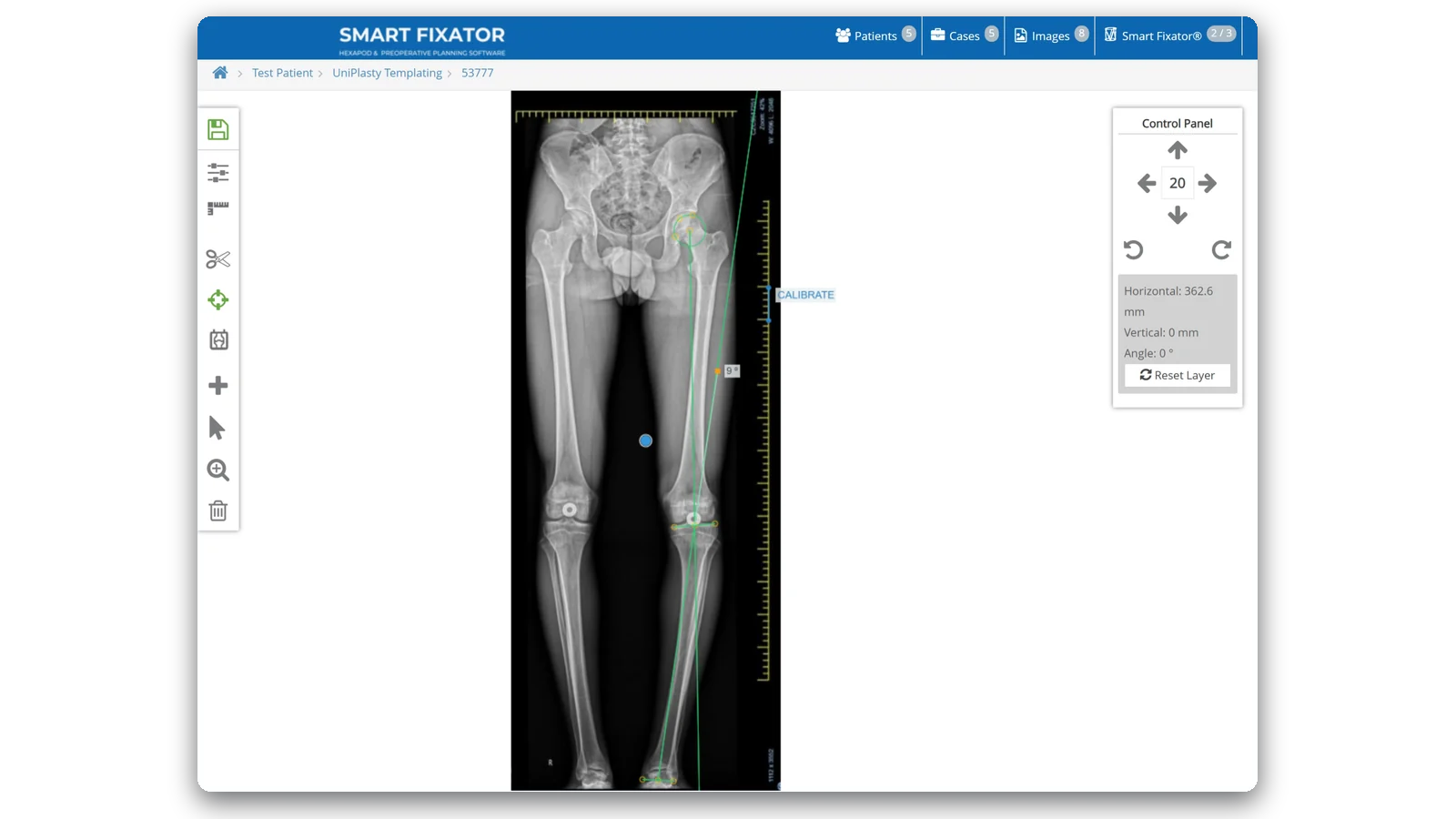
Place the HTO or Orthoroentgenography template to see the mechanical axis.
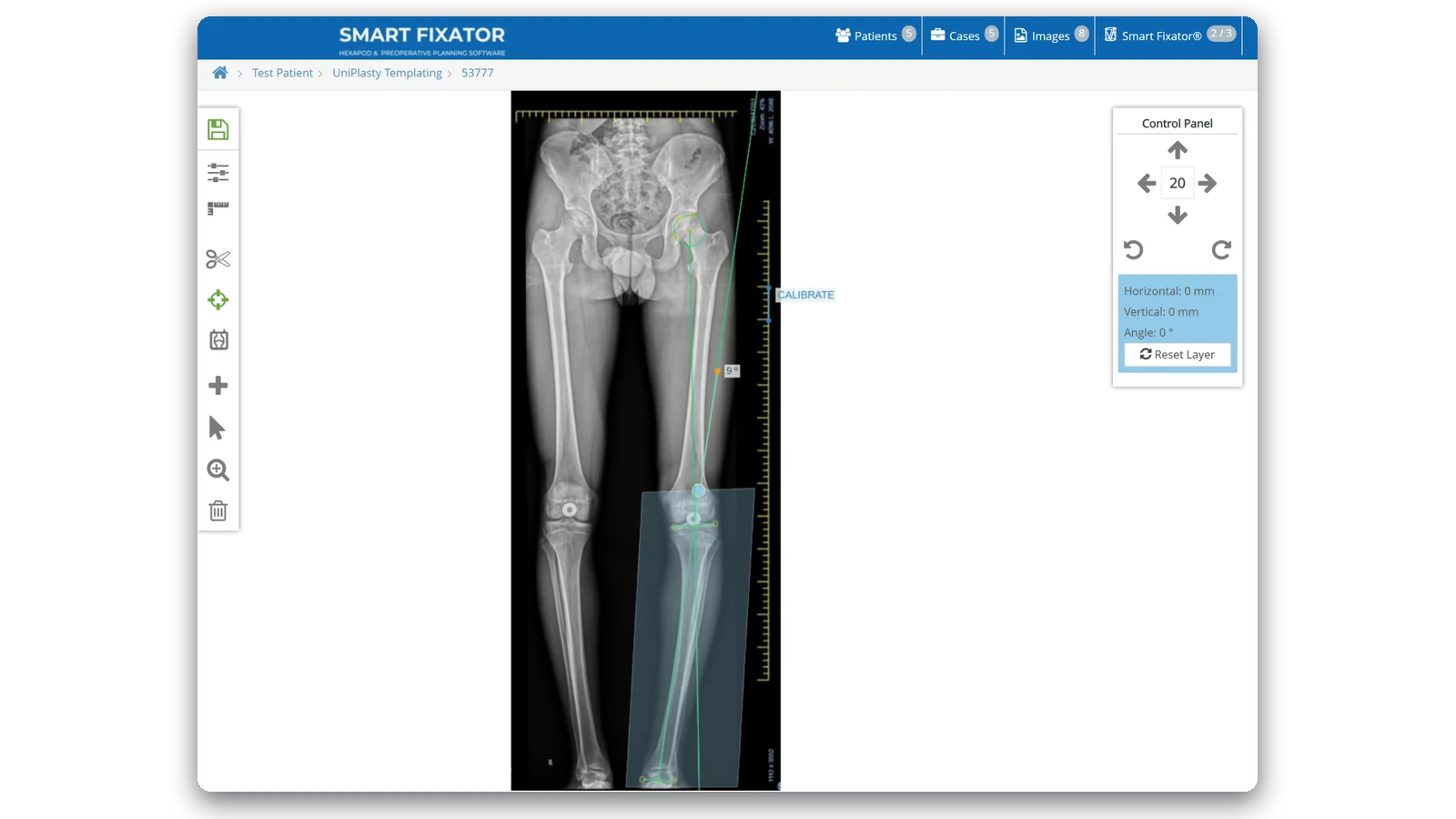
Cut around the proximal tibia and the leg below it, keeping the points of the template inside.
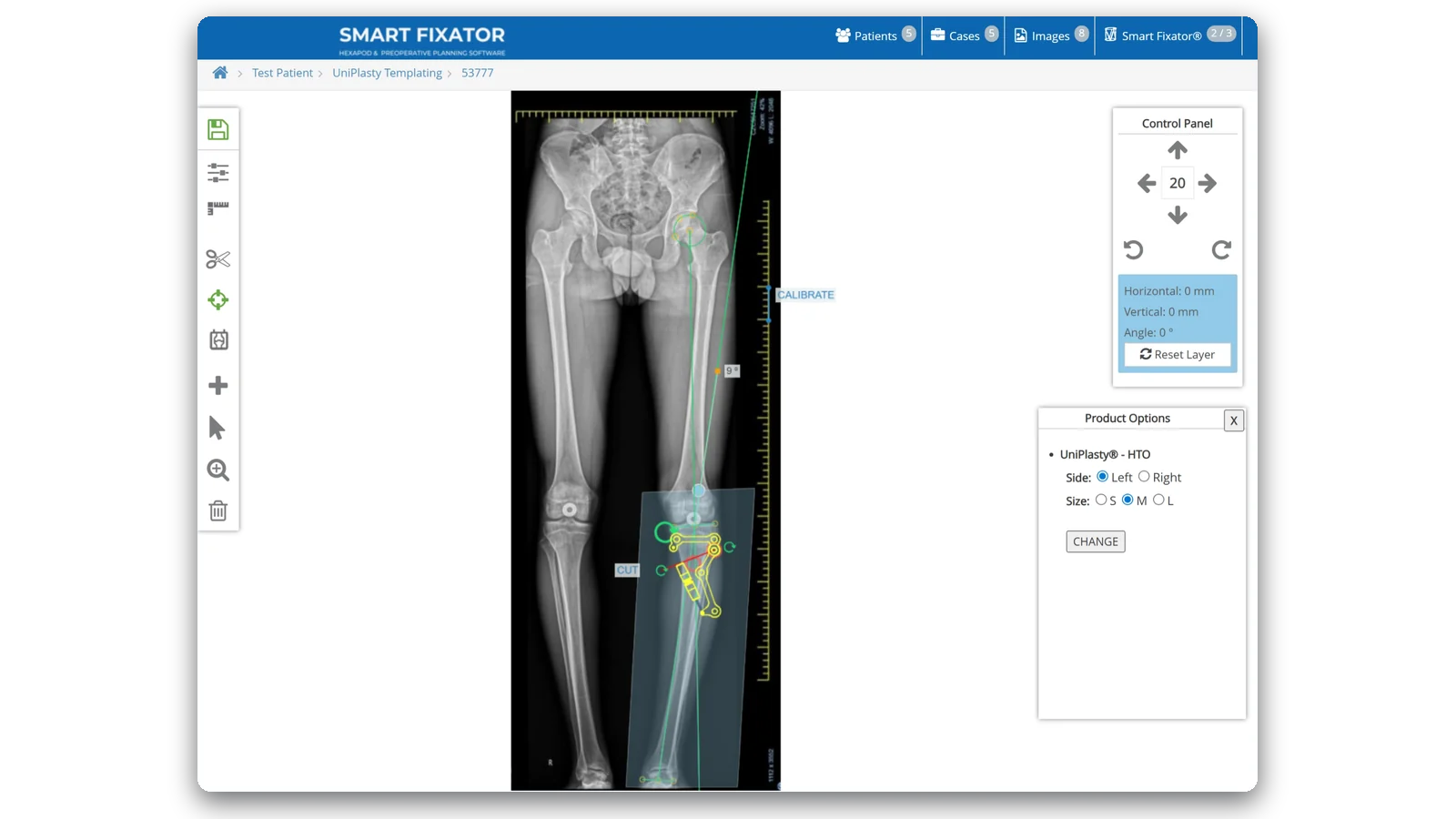
Add UniPlasty® - HTO, choose the side and the size (S, M or L) and place it on the proximal tibia.
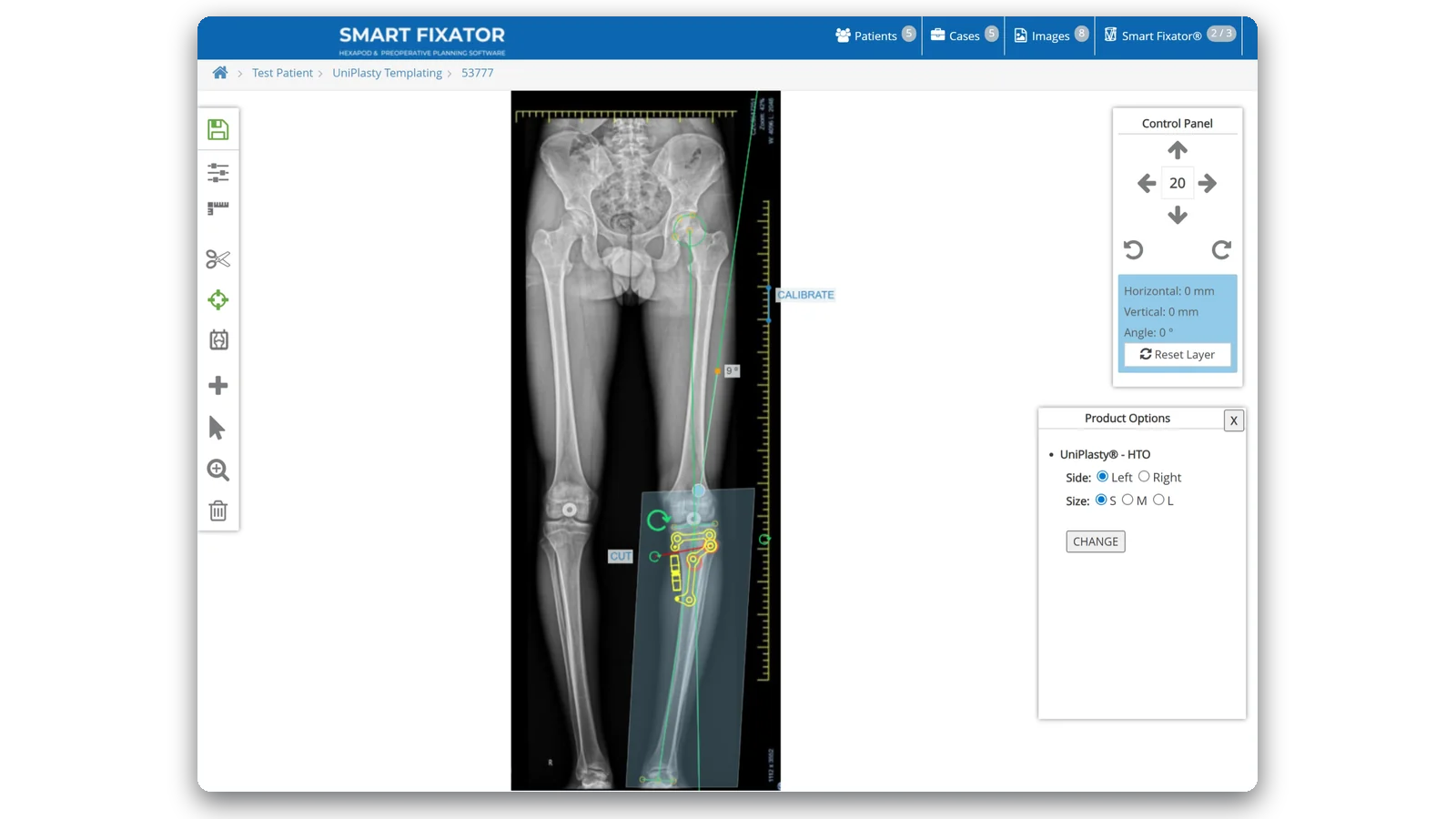
Position the red osteotomy line and select CUT: the distal part becomes a segment of its own.
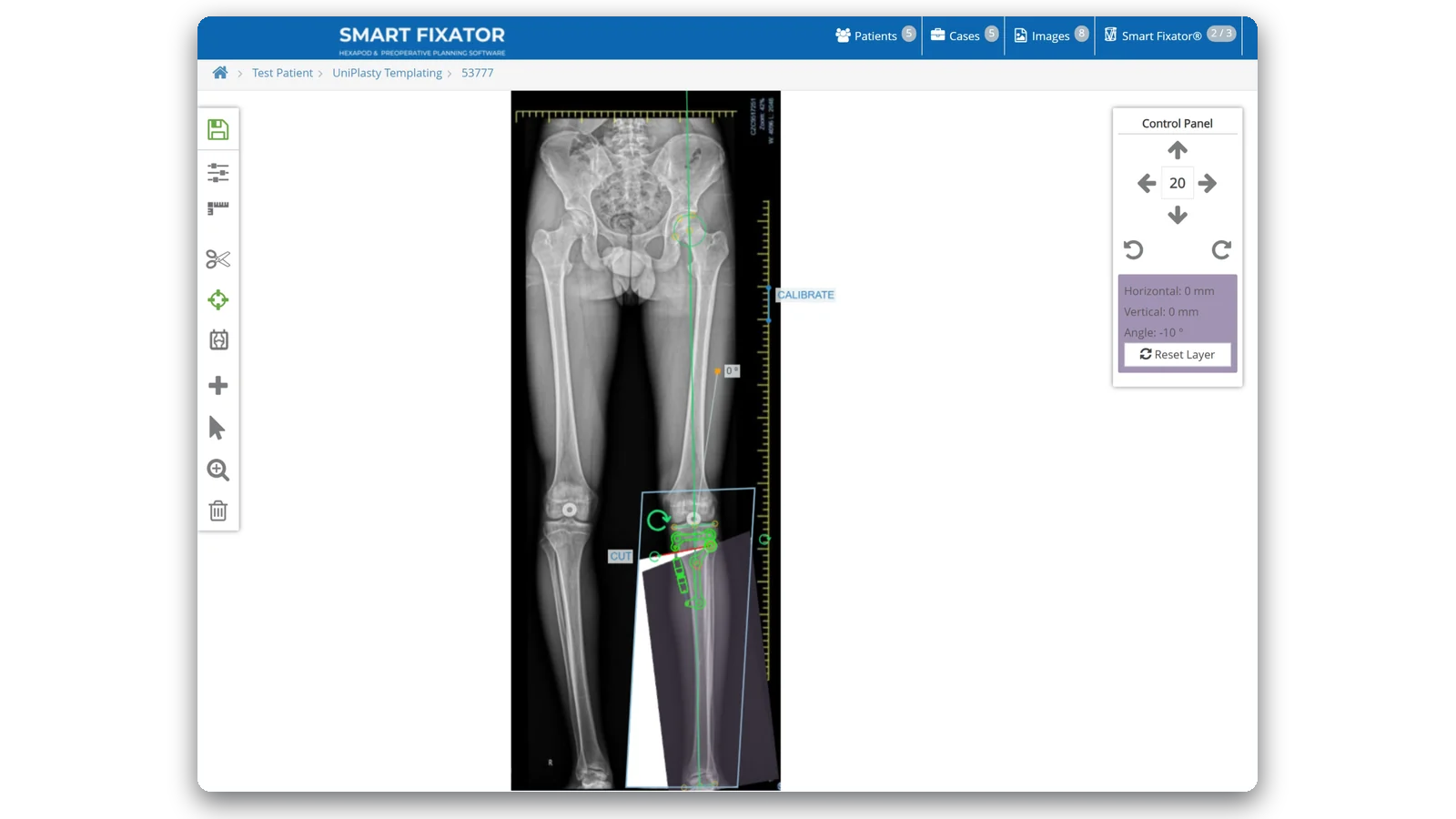
Angulate the distal part 1° at a time and read the new mechanical axis and the total correction.
2:28 · screen recording, no narration
Hexapod frame calculation
The instructions for use (IFU-SF-PT) are in the software, under Documents.
Go to www.SmartFixator.comSend your enquiry to our team about Smart Fixator® – Preoperative Planning and Templating.